Step 01 / 06 · Casting
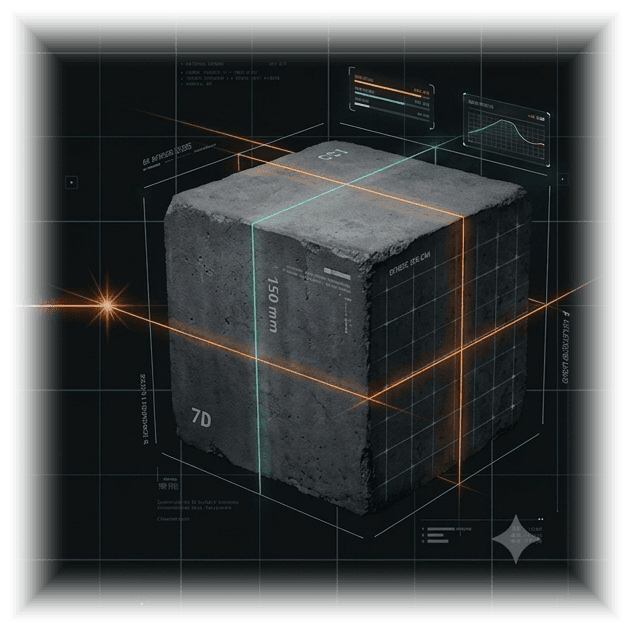
One cube is cast.
The QCI records the sample once: project, plant, grade, casting date. Nothing else is typed.
Cube sample
- Cube no.
- #1042
- Project
- P-0007
- Plant
- PL-01
- Grade
- M20
- Casting date
- 2026-09-04
- Schedule
- 3 tests created
CUBE CASTING · 7 / 14 / 28-DAY TESTING · REPORTS · DELIVERY · INVENTORY
Cast a cube once. The 7, 14 and 28-day tests schedule themselves, every result is checked against specified strength, and the signed report reaches your customer on WhatsApp or email.
02 — The problem
Cube testing is simple arithmetic repeated hundreds of times. Done by hand, it is where quality records go wrong.
Count 7, 14 and 28 days from each casting date
Created by the database when the cube is cast.
Remember which cube is due today
Today's, upcoming and overdue buckets, plus a reminder the morning before.
Divide load by area on a calculator, three times
Strength, average and PASS / FAIL are derived when the loads are saved.
Number the report, track the corrections
RMC-2026-000118, then -R1 with a reason. The sent version is frozen.
Forward the PDF on WhatsApp from a phone
Sent from the RMC’s business number with an approved template.
Ask whether the customer received it
Queued, sent, delivered, read: the webhook writes it back.
03 — One connected record
Every row points at its parent, inside one RMC, enforced by the database. Rename a customer later and the sent report still says what it said.
01
Customer
C-0003
02
Project
grade · plant · recipients
03
Cube sample
#1042 · casting date
04
Tests
7 · 14 · 28 day
05
Results
A · B · C → N/mm²
06
Report
RMC-2026-000118
07
Send
WhatsApp · email
08
Delivered
webhook status
04 — Cube journey · representative values
Step 01 / 06 · Casting
The QCI records the sample once: project, plant, grade, casting date. Nothing else is typed.
Cube sample
Step 02 / 06 · Day 7
Scheduled on casting + 7 by the database. It shows up in Today’s tests, with a reminder the morning before.
Cube test · 7-day · 2026-09-11
| SPECIMEN | LOAD kN | N/mm² |
|---|---|---|
| A | 366.1 | 16.27 |
| B | 338.8 | 15.06 |
| C | 340.9 | 15.15 |
Average · specified (× 0.65)
15.49 / 13.00
Step 03 / 06 · Day 14
Three specimens, three loads. Strength, average and the pass line are computed by the database, never by hand.
Cube test · 14-day · 2026-09-18
| SPECIMEN | LOAD kN | N/mm² |
|---|---|---|
| A | 446.4 | 19.84 |
| B | 457.0 | 20.31 |
| C | 441.5 | 19.62 |
Average · specified (× 0.90)
19.92 / 18.00
Step 04 / 06 · Day 28
Average against the full specified strength. Once submitted, the test is frozen: no edits, no silent changes.
Cube test · 28-day · 2026-10-02
| SPECIMEN | LOAD kN | N/mm² |
|---|---|---|
| A | 543.0 | 24.13 |
| B | 530.1 | 23.56 |
| C | 549.0 | 24.40 |
Average · specified (× 1.00)
24.03 / 20.00
Step 05 / 06 · Report
One click. The report number, revision and a frozen snapshot are assigned in the database; the one-page PDF is rendered from that snapshot.
Report
Step 06 / 06 · Delivered
Sent as a PDF on WhatsApp (approved template) or by email. Delivery and read receipts come back through the webhook.
Delivery · RMC-2026-000118.pdf
05 — The product
Not a screenshot. The same buckets, filters, statuses and actions as the real screen, with representative values.
Today's tests
Upcoming
Overdue
Completed
Test schedule
Today: 2026-09-18
| Cube | Project | Age | Scheduled | Status | Action |
|---|---|---|---|---|---|
| #1042 | P-0007 | 28-day | 2026-09-18 | In progress | Enter results |
| #1047 | P-0009 | 14-day | 2026-09-18 | PendingIn progressSubmitted | Start test |
| #1039 | P-0007 | 28-day | 2026-09-15 | Pending Overdue | Test now (Overdue) |
| #1051 | P-0011 | 7-day | 2026-09-19 | Pending | Start test |
| #1040 | P-0008 | 14-day | 2026-09-17 | Submitted | Generate report |
| #1035 | P-0007 | 28-day | 2026-09-12 | Completed | View report |
Note 1
Overdue is derived
Computed from the scheduled date in the RMC’s timezone. Never stored, so never stale.
Note 2
Three tests per cast
Casting a sample creates the 7, 14 and 28-day tests in the same statement. Duplicates are impossible.
Note 3
One action per state
Start test, Enter results, Generate report, View report. The next step is always the only button.
06 — Report automation
Test submitted
A, B, C locked
Average, specified strength and PASS / FAIL are set by the database when the QCI submits. The test is frozen.
Report generated
Number assigned
RMC-2026-000118 comes from a yearly counter. A snapshot of customer, project, plant, sample and results is frozen with it.
PDF rendered
One page, A4
Drawn from the snapshot in memory on every request. No file is ever stored, so the same version always reproduces the same PDF.
Sent
WhatsApp or email
WhatsApp uses the RMC’s own number and approved template with the PDF as the document header. Email attaches the same PDF.
Delivered · Read
Status comes back
Meta’s webhook moves each message Queued → Sending → Sent → Delivered → Read. Never backwards.
Outgoing message · template, document header
RMC · business number
to customer · C-0003
RMC-2026-000118.pdf
1 page · A4
Cube test report RMC-2026-000118 for project P-0007, cube #1042, M20, 28-day test on 2026-10-02. Result: PASS, average 24.03 N/mm².
Queued ·Sent ✓Delivered ✓✓Read ✓✓
Template parameters are filled from the frozen snapshot: recipient, customer, project, report number, test age, date, cube, grade, result, strength.
Corrections
Same number, new revision: -R1, -R2. The sent original stays untouched.
Reminders
Upcoming, due today, overdue and pending-report alerts at 08:00 local, in-app, WhatsApp or email.
07 — Production & inventory
Raw materials in, concrete out. A production entry takes the project’s grade, its active mix design and the m³ produced; the stock movements follow by themselves.
Rule 1
One mix design per grade
Quantities per m³ for every material. Once a design has been used in production its ingredients are locked; a new design replaces it.
Rule 2
All or nothing
Production for a project multiplies its grade’s mix by the m³ and writes every consumption in one row-locked transaction. If a single material is short, nothing is deducted.
Rule 3
Daily report
Opening, received, consumed and closing stock per material, per day. Stock below its alert level is flagged on the inventory dashboard.
New production entry
2026-10-02
| Material | Per m³ | Required | Available | After | Stock |
|---|---|---|---|---|---|
| Cement | 350 kg | 4,200 kg | 18,500 kg | 14,300 kg | Sufficient |
| Sand | 700 kg | 8,400 kg | 31,200 kg | 22,800 kg | Sufficient |
| 10mm Crush | 400 kg | 4,800 kg | 9,100 kg | 4,300 kg | Low stock |
| 20mm Crush | 800 kg | 9,600 kg | 26,000 kg | 16,400 kg | Sufficient |
| Water | 175 L | 2,100 L | 40,000 L | 37,900 L | Sufficient |
| Admixture | 3.5 kg | 42 kg | 310 kg | 268 kg | Sufficient |
All six materials sufficient; 10mm Crush drops below its alert level after this batch. Saving writes six CONSUMPTION movements in one transaction.
Save productionOpening · Cement
16,000 kg
Received
+6,700 kg
Consumed
−4,200 kg
Closing
18,500 kg
08 — Roles
OWNER
Runs the RMC. Sets up plants, users, WhatsApp and email; casts cubes; generates and sends reports; reads the audit log. Read-only on test entry: results belong to the QCI.
QCI
Runs the lab. Creates customers and projects, casts cubes, enters the A, B, C loads, submits tests, generates and sends reports, raises corrections.
SUPERVISOR
Watches. Sees projects, customers, plants, the schedule, submitted results and reports. Cannot write business data, even through a buggy endpoint: the database refuses it.
PRODUCTION INCHARGE
Runs production. Raw materials and stock, mix designs, production batches, the daily report. No access to the testing side.
A platform admin onboards each RMC and sees aggregates and health only. It has no tenant membership, so row-level security gives it no business data.
Designed for plant managers, quality control engineers, and weighing operators who need instant, uninterrupted access to cube tests, dispatch batching, and daily lab certifications.
Windows 10 / 11 · 64-bit (x64)
10 — Casting date to read receipt
Accounts are created by your RMC owner. No self-service signup.